Supported IPC List
- IPC G3 Platform, PCI series:
PCI-B12F2S,PCI-B12F4S,PCI-B12F6S,PCI-B15F2S,PCI-B15F4S,PCI-B15F6S,PCI-B18F2S,PCI-B18F4S,PCI-B18F6S,PCI-B12F2SL,PCI-B12F4SL,PCI-B12F6SL,PCI-B15F2SL,PCI-B15F4SL,PCI-B15F6SL,PCI-D12F2S,PCI-D12F4S,PCI-D12F6S,PCI-D15F2S,PCI-D15F4S,PCI-D15F6S,PCI-T12F2S,PCI-T15F4S,PCI-T12F6S,PCI-T15F2S,PCI-T15F4S,PCI-T15F6S,PCI-T18F2S,PCI-T18F4S,PCI-T18F6S,PCI-T12F2SL,PCI-T12F4SL,PCI-T12F6SL,PCI-T15F2SL,PCI-T15F4SL,PCI-T15F6SL,PCI-B12Z2S,PCI-B15Z2S,PCI-B18Z2S,PCI-D12Z2S,PCI-D15Z2S,PCI-D18Z2S,PCI-LB12F2S,PCI-LB12F4S,PCI-LB12F6S,PCI-LB12F12S,PCI-LB15F2S,PCI-LB15F4S,PCI-LB15F6S,PCI-LB15F12S,PCI-LB18F2S,PCI-LB18F4S,PCI-LB18F6S,PCI-LB18F12S,PCI-LB12F2SL,PCI-LB12F4SL,PCI-LB12F6SL,PCI-LB15F2SL,PCI-LB15F4SL,PCI-LB15F6SL,PCI-D14Z2H
- IPC G3 Firmware: v5.5.150_OP_210201
Before Adding IPC to Cam Cloud
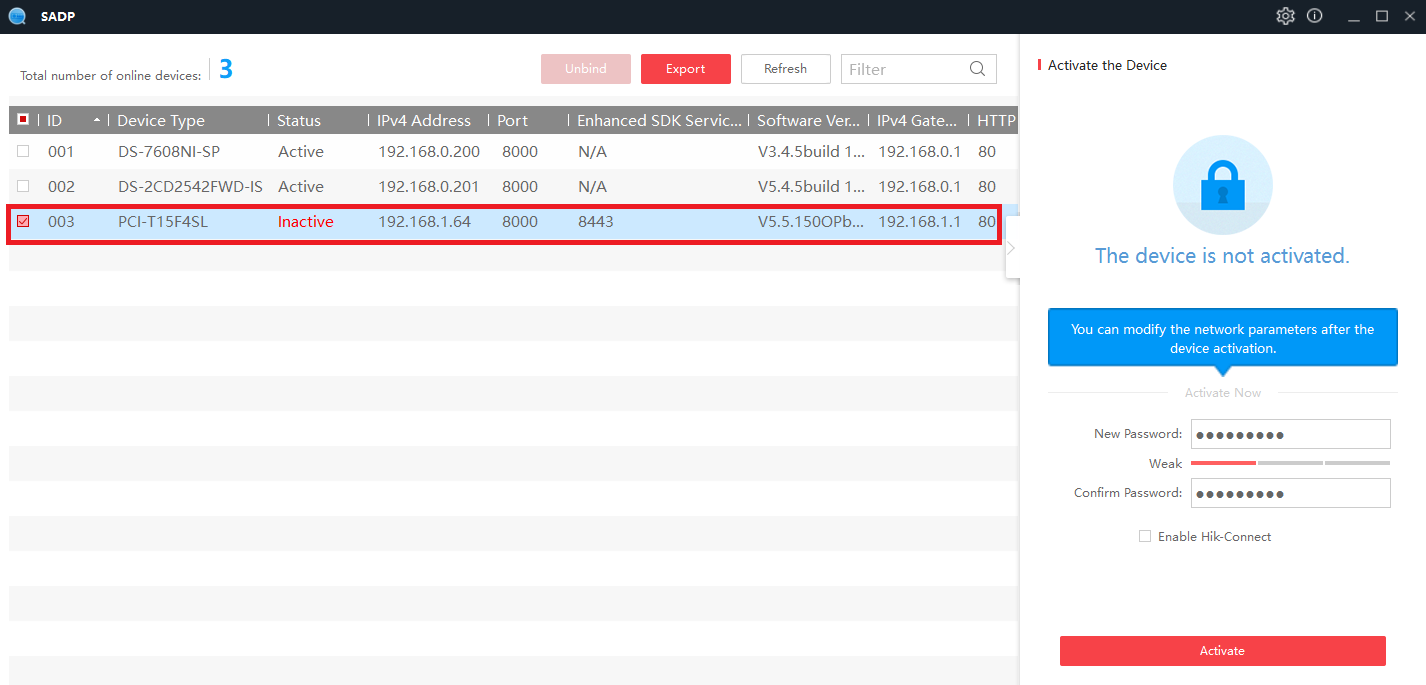
Use Hikvision SADP tool to active IP camera
- Download Hikvision SADP tool to search and activate Hikvision IP camera. https://us.hikvision.com/en/support-resources/downloads/tools
- Use Hikvision SADP tool to activate Hikvision IP camera and setup password for administrator account
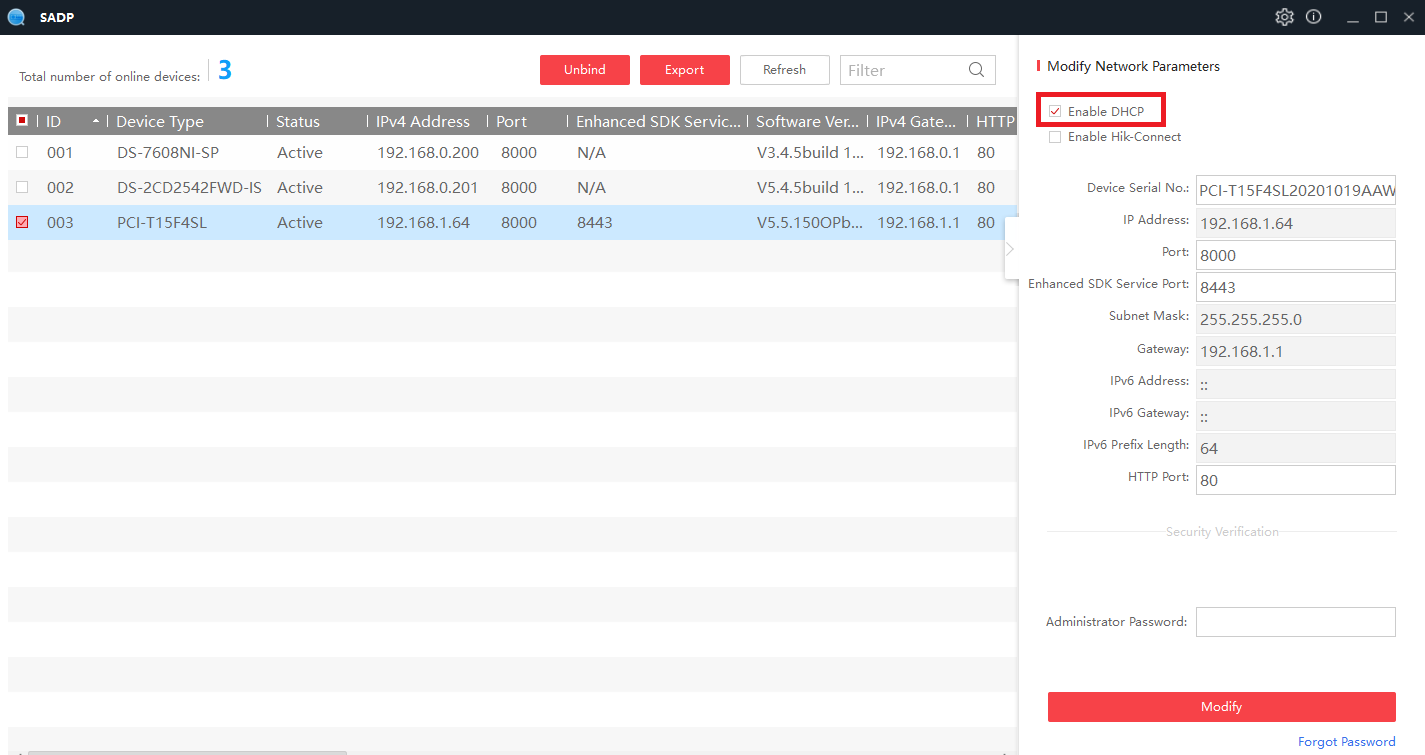
- Enable DHCP
Install Cam Cloud App through camera web portal
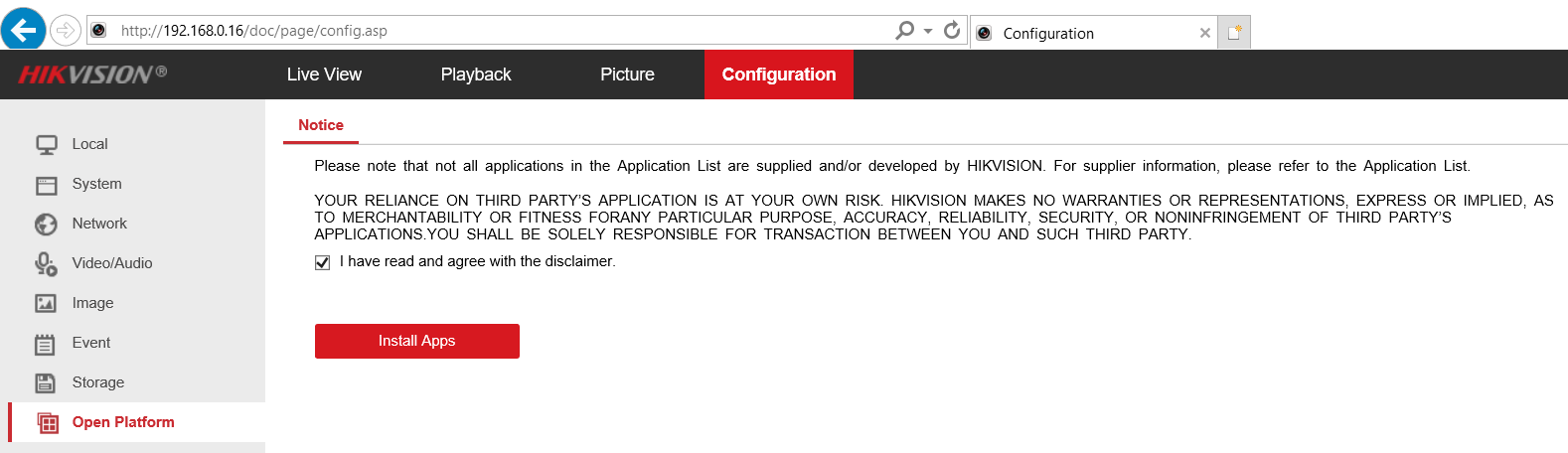
- Login Hikvision IP camera using Internet Explorer
- Go to Configuration, Open Platform
- Check “I have read and agree with the disclaimer” and Click on “Install Apps”
Import Cam Cloud App
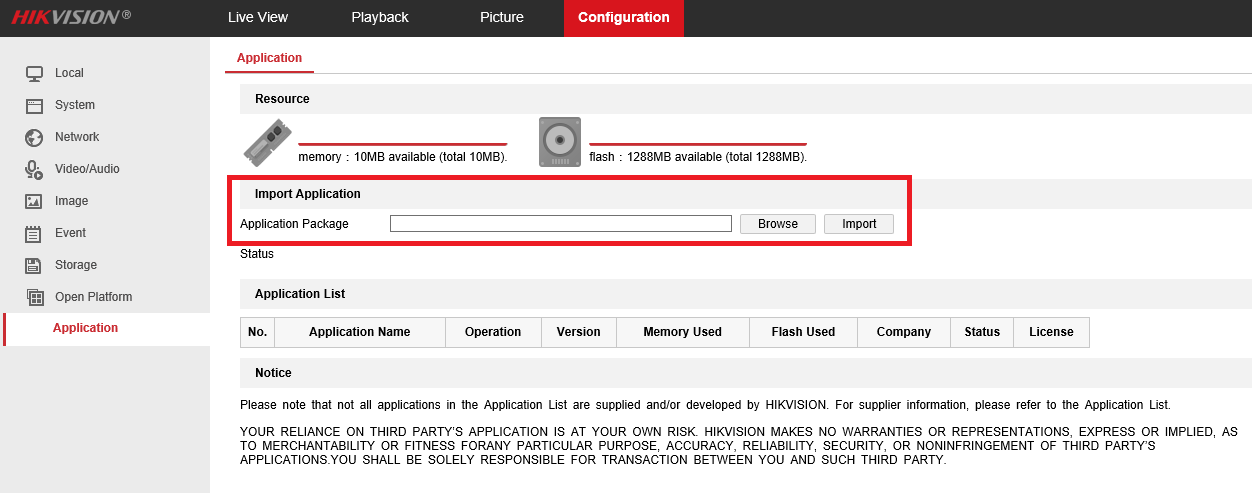
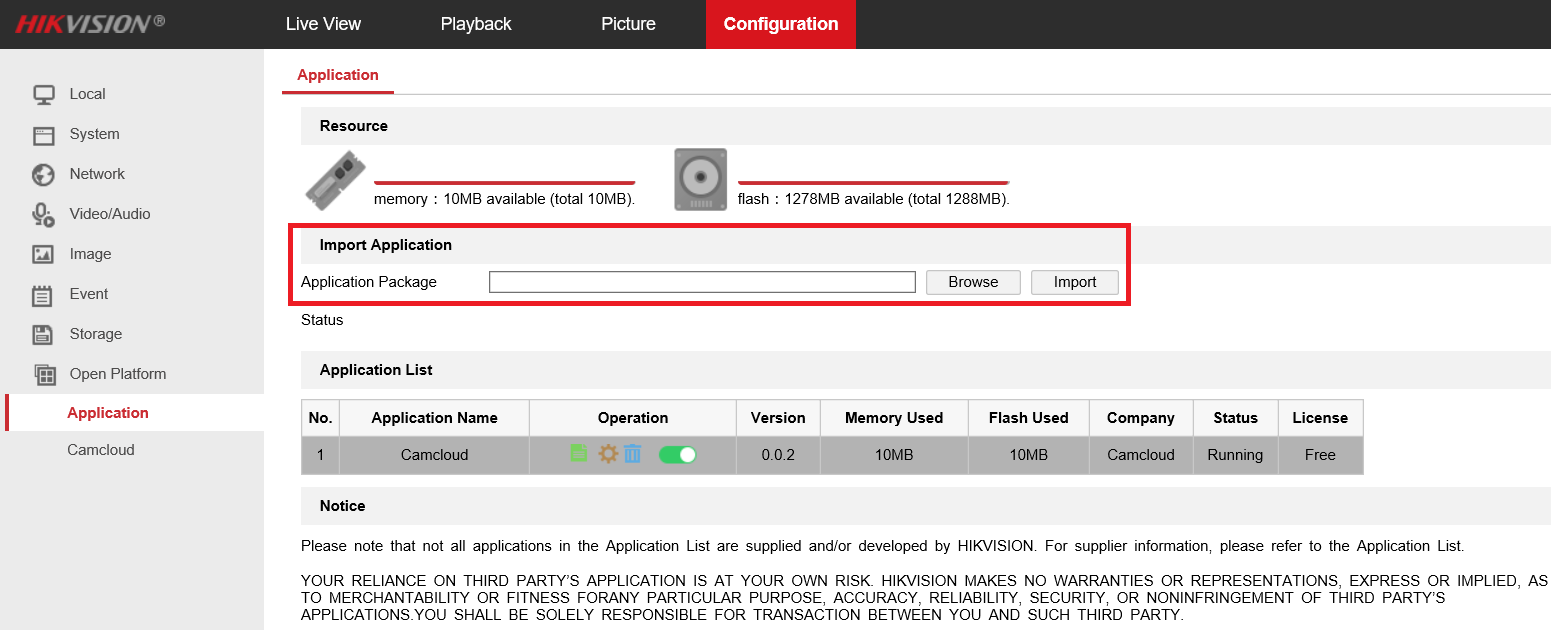
- Go to Configuration, Open Platform, Application, Click on Browse button to select Cam Cloud App and Import button to import it
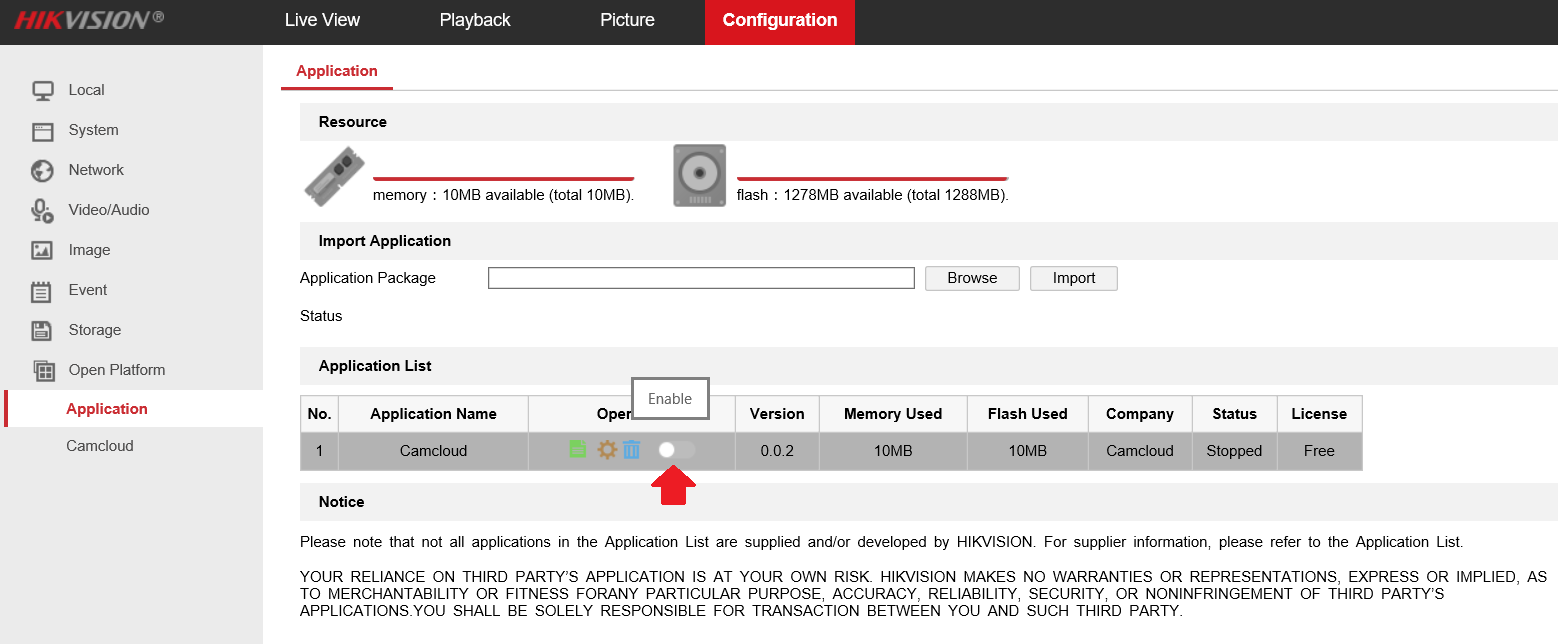
- Click on Enable button to enable Cam Cloud App
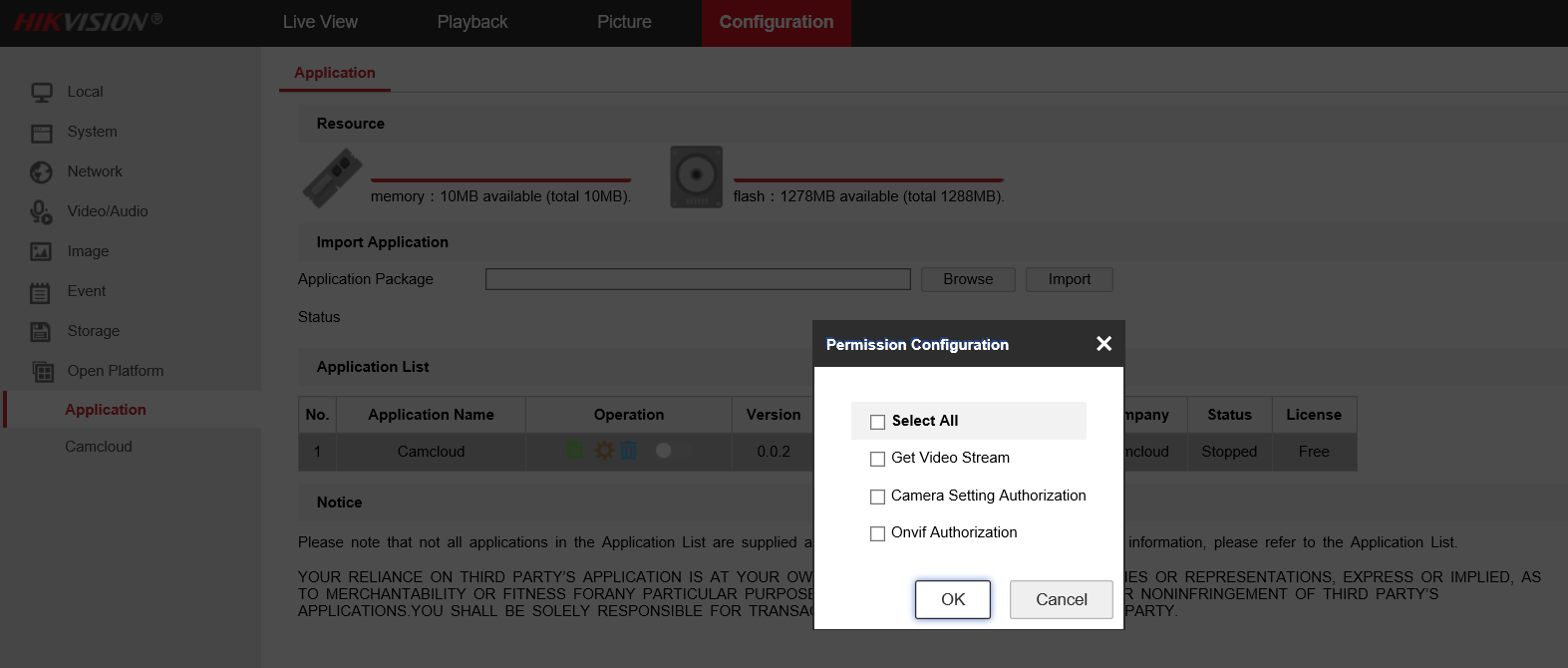
- Do not select any permission when starting the Cam Cloud App
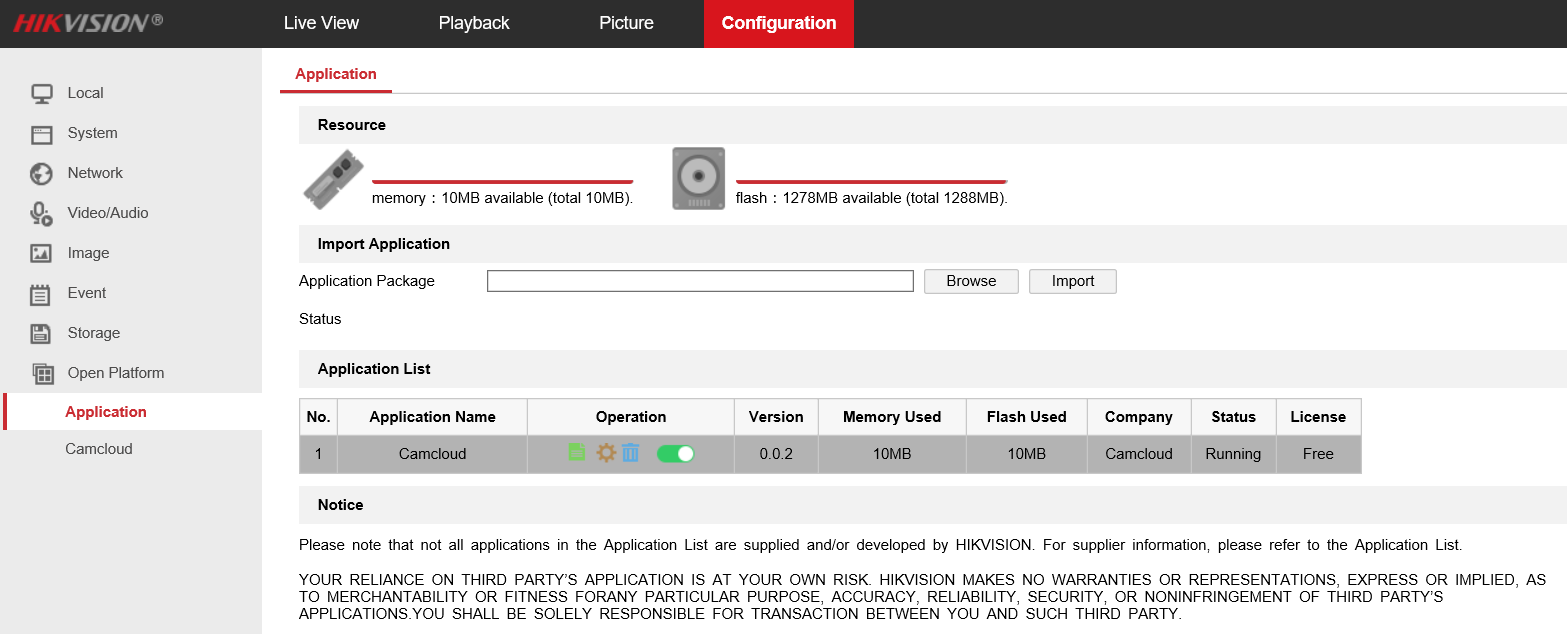
- Now you will see Camcloud App is running
Configure Cam Cloud App
- Delete Cam Cloud App: Select Trash Can icon to delete it
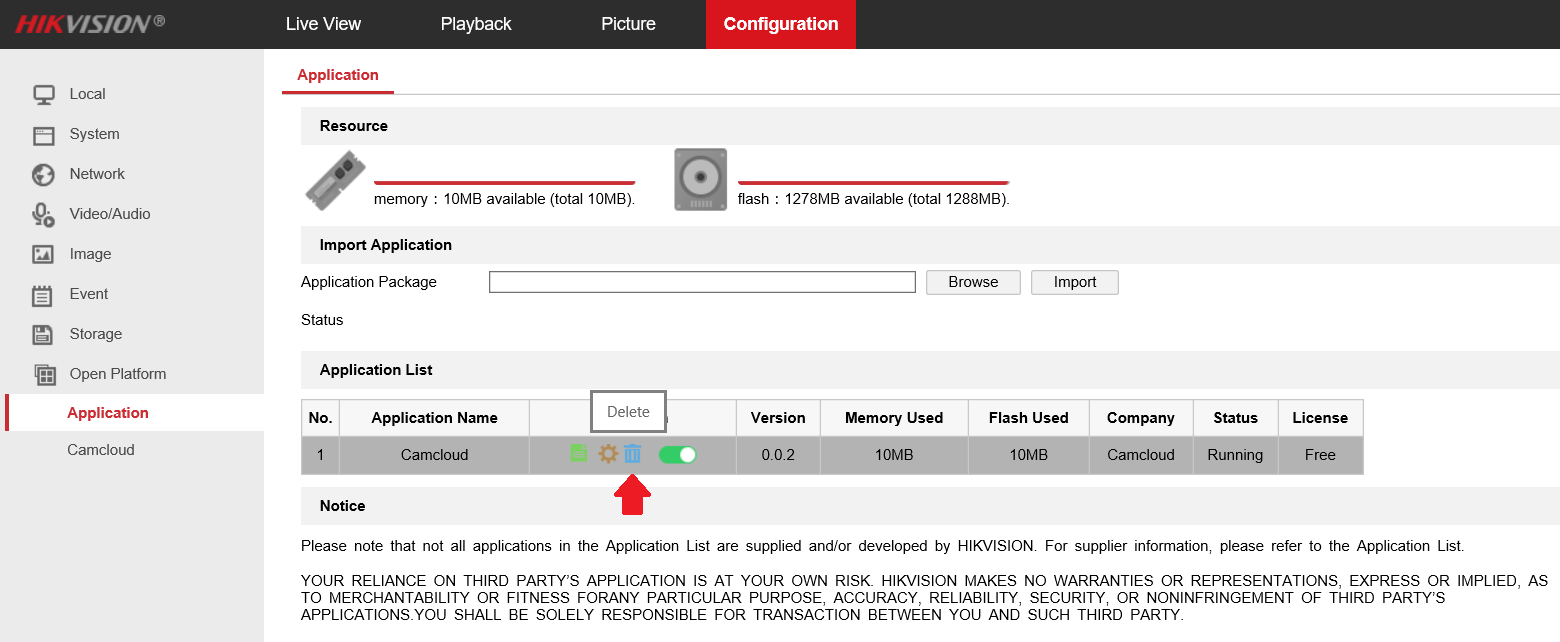
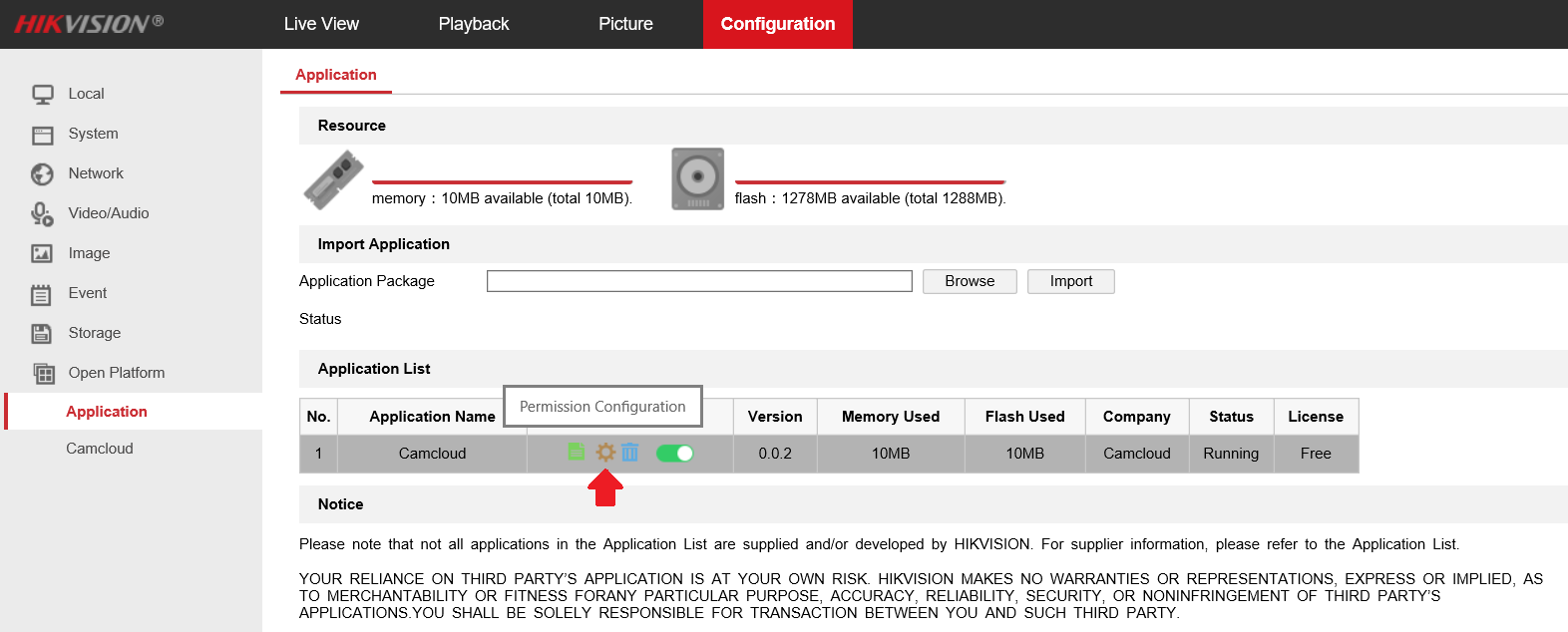
- Configure Cam Cloud App permission: Select Gear icon to configure Cam Cloud App permission
- Upload updated Cam Cloud App: Click on Browse button to select updated Cam Cloud App file, then click on Import button to upload updated Cam Cloud App
Adding IPC to Cam Cloud
Add cameras through Cam Cloud Web Portal
- Navigate to the following site and login using the credentials that Cam Cloud provided
https://burkett.hostedcloudvideo.com